Work Arrives To Your Desktop
This is your team's desktop with LivPro present in it. Work reaches them where they already are, not in a tool they have to remember to open. Recurring tasks start on their own, a process assigned by a colleague lands ready to action, and the day's insights arrive without anyone going to look for them. Whatever is already in flight stays visible in the Bucket, one click from where it was left, so nothing gets lost when attention moves on. Because LivPro is present at the desktop rather than another tab to open, the right next action is obvious and easy to start, without remembering, searching, or asking.
Persistent at the desktop
The LivPro Bucket and step modals sit alongside the applications your team already uses, always present and always to hand. There is no app to open and no context to switch into.
Work arrives to you
Recurring tasks auto-start on their schedule, assignments land on your desktop from a colleague part-way through a process, and the morning streak analysis arrives at the start of the day. Each one reaches you in context, at the point it is relevant.
Pick up where you left off
Your Bucket holds every workflow you have open, so you can see what is active and continue any of it in one click. Nothing slips because you got pulled onto something else. Your to-do list sits there too, so the smaller things stay in view.
Shaping How Execution Is Done
The step modal is what is shaping how execution happens, present at the desktop in the moment of execution. It carries the noise-reduced description of what to do and how to do it supported by your firm's senior expertise surfaced in the Tips section, the due date and reference documents in context. The team member sees only what they need for this step, not the full process, keeping focus on the immediate action.
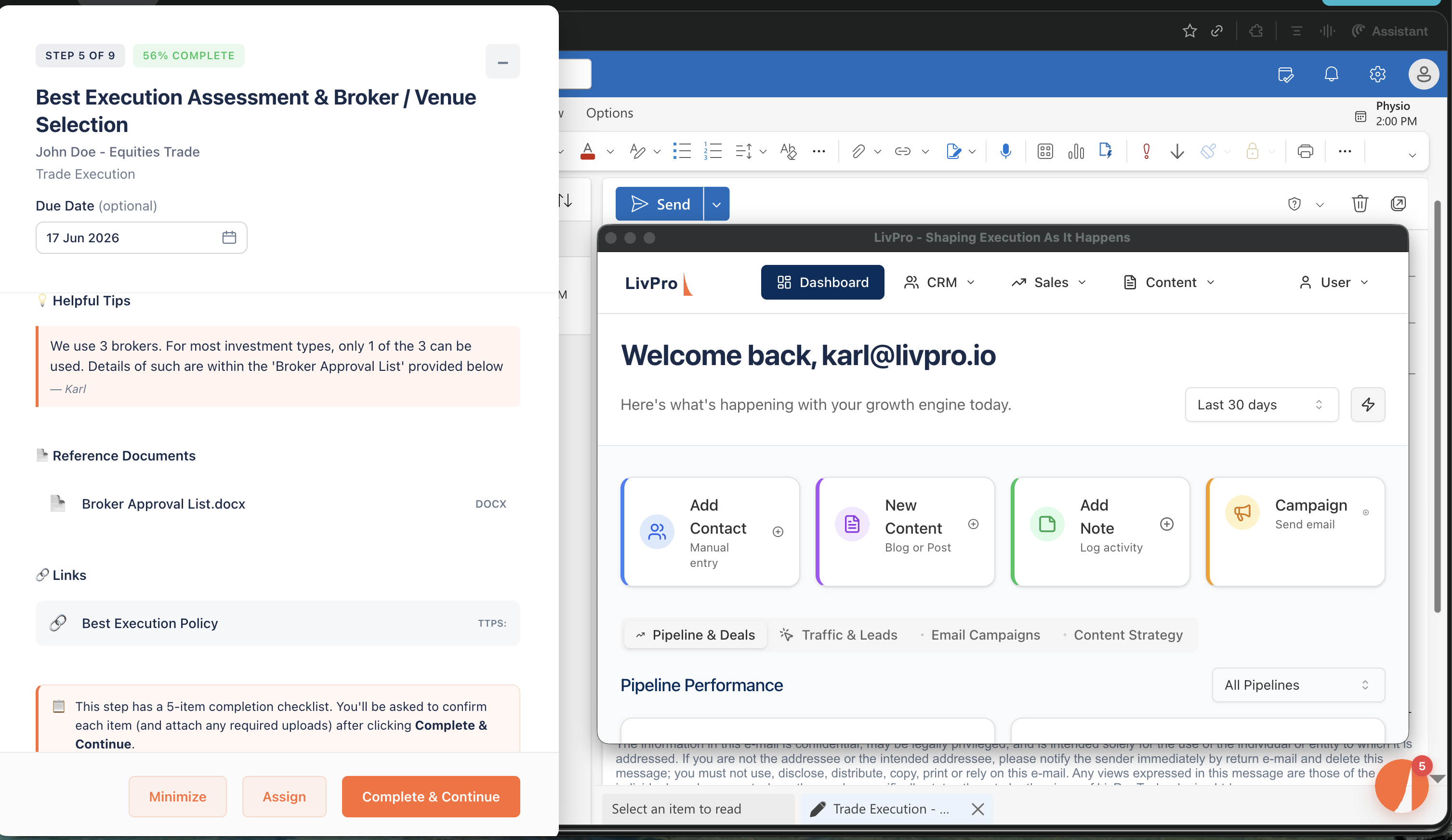
Present at the moment of execution
At the desktop, alongside their applications, exactly when execution is happening.
Multiple noise-reduction techniques embedded
Sequencing prevents step-skipping. Required checklists confirm completion. The correct documents and links surface in context. Instructions provide judgement criteria when needed.
Senior expertise surfaced in context
Your firm's most experienced operators contribute Tips that appear at the moment of execution.
Multi-Channel Feedback Captured Immediately
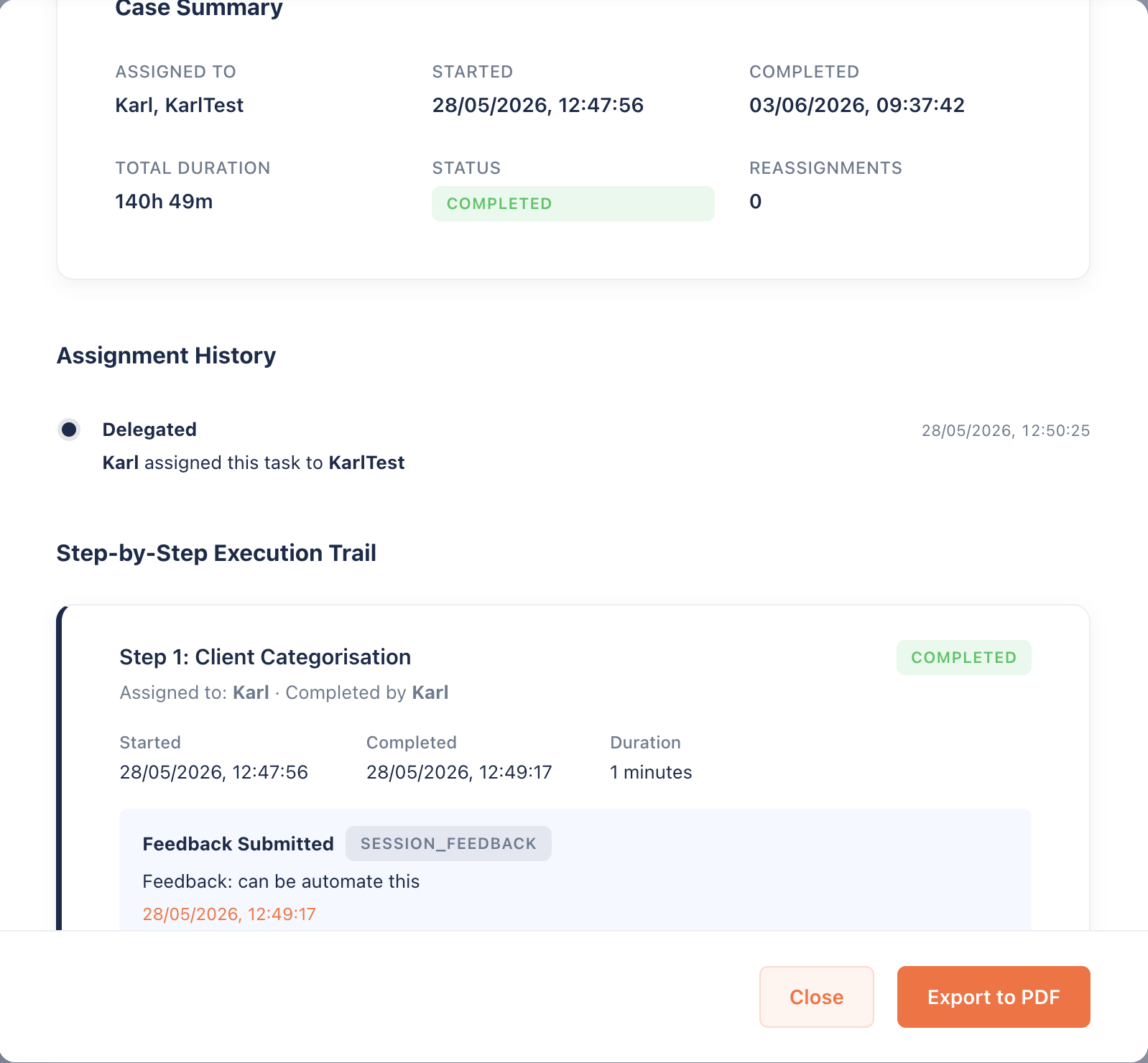
When you complete a step, a feedback form auto-pops up offering four distinct ways to surface feedback: a. process improvement ideas, b. peer Tips for future team members on the same step, c. case-specific context for the audit report, and d. PTA flags for complicated reviews. Each piece routes immediately to the process owner, making feedback live and actionable while the experience is still fresh. This is the qualitative insight that explains what execution data is showing and driving fast iteration loops in your firm's processes.
Four channels of feedback
Process improvement to process owners. Peer Tips into step modals. Case context to audit reports. PTA flags for review. Each serves a different substantive purpose.
Step-level granularity, captured fresh
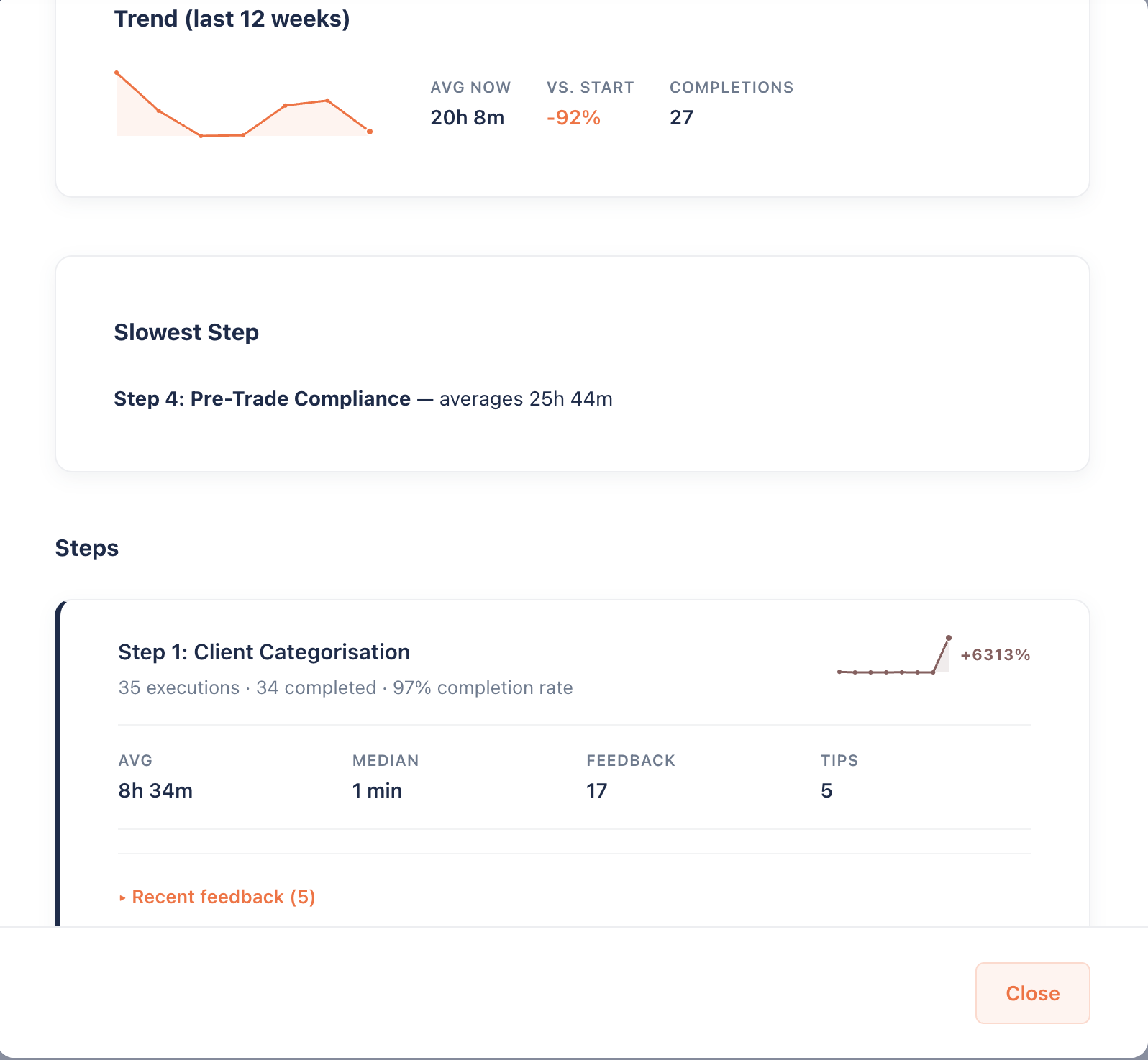
Feedback is specific to the exact step where pain or insight was felt. When execution data shows Step 4 is slowest, the qualitative feedback on Step 4 explains why.
Routes live to the process owner
Every submission flows immediately to the process owner. Feedback is actionable the moment it lands, driving fast iteration loops in your firm.
Streaks Drive Consistent Execution
When you complete a process or recurring task, the team member's feedback shows up immediately. Company processes display a completion message with execution data such as duration, on-time status, and completeness. Recurring tasks show completion data plus streak analysis tracking consistent execution over time.
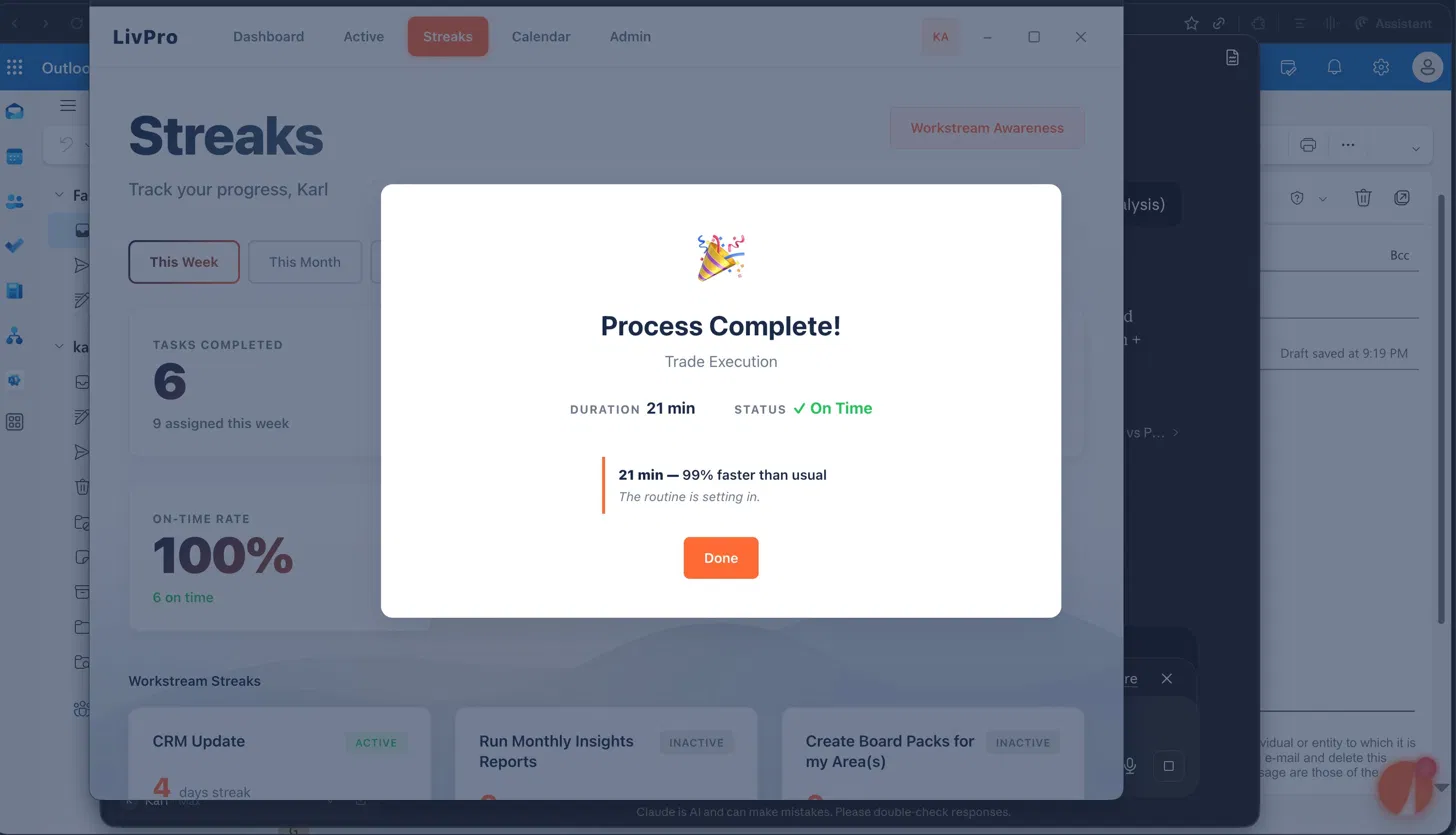
Process completion with execution data
When a company process is completed, the modal thanks the team member and surfaces the execution data: duration, on-time status, completeness.
Streak analysis at task completion
Recurring task completions show the streak analysis tracking consistent execution. Each completion adds to the visible compounding pattern.
Both drive consistent execution
Visible completion data and visible streak patterns build consistent execution into your team's working pattern over time.